Lawn Care and Pool Service Scheduling: How to Keep Customers on Cadence
A practical scheduling workflow for lawn care and pool service operators that need reliable routes, cleaner reminders, skipped-visit communication, and seasonal customer follow-up.
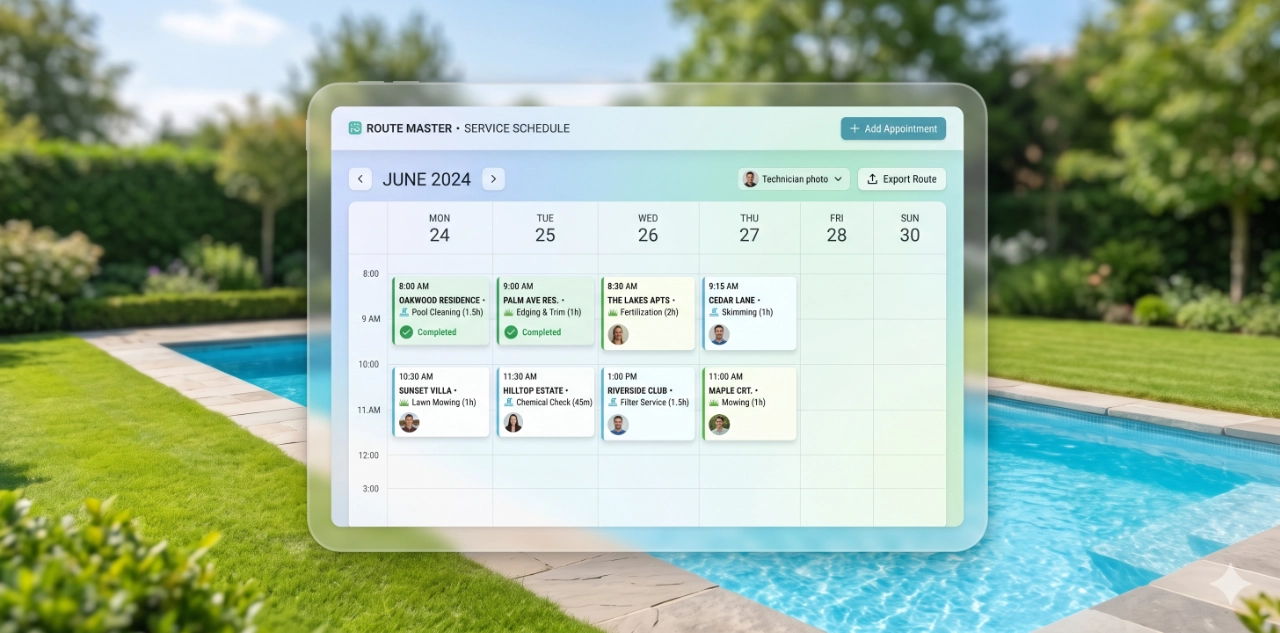
Why cadence is the product in lawn and pool service
For lawn care and pool service companies, the customer is not only buying one completed visit. They are buying the confidence that the yard, pool, and property will stay handled on a reliable rhythm. When that cadence slips, the product feels weaker even if the technician does good work during each stop.
That is why pool service scheduling automation matters for recurring routes. A weekly pool visit in Buckeye or Phoenix has to survive heat, monsoon dust, customer gate issues, chemical swings, vacation holds, and busy-season route pressure. Lawn routes face their own version of the same problem: growth cycles, irrigation changes, weeds, storm cleanup, and seasonal service windows.
The best scheduling system does not try to make every week identical. It gives the office and field team a reliable way to adjust without letting customers wonder what happened. Cadence is protected by clear triggers, reminders, skipped-visit notes, and follow-up steps that keep the next service visible.
Scheduling workflows that prevent drift
Route drift usually starts small. One customer asks to skip a week. Another needs a different gate code. A storm pushes Tuesday work into Wednesday. A technician moves a pool stop to the end of the day because the route is overloaded. None of those changes are unusual, but without a workflow they can stack into missed visits, vague promises, and customer churn.
Start by defining the standard cadence for each recurring customer: weekly pool service, biweekly mowing, monthly landscape maintenance, seasonal cleanups, or a custom plan. Then define the exceptions. A useful workflow records why a visit moved, who approved it, when the customer was notified, and what the next scheduled visit should be.
For Phoenix and Buckeye operators, weather and heat deserve their own scheduling rules. Pool routes may need earlier starts during extreme heat, faster follow-up after dust storms, and clearer expectations when water chemistry needs another touch. Lawn care routes may need seasonal shifts around summer growth, irrigation issues, overseeding, and storm debris. The workflow should make these changes visible before they become customer complaints.
Customer reminders and skipped-visit communication
Recurring service customers do not need a long message before every visit, but they do need enough communication to trust the cadence. A short reminder can confirm the service window, ask for gate or pet access, and reduce avoidable failed stops. The reminder should be especially clear for new customers, recently paused customers, and any account with access problems.
Skipped visits need a different message. If the customer requested the skip, confirm when normal service resumes. If the skip was caused by weather, route disruption, unsafe access, or a technician issue, explain what changed and what happens next. The message should avoid excuses and focus on the recovery plan: next visit date, any needed customer action, and whether billing is affected.
This is where scheduling automation protects both revenue and trust. A skipped pool visit in July can feel urgent to a homeowner because heat changes water conditions quickly. A delayed lawn visit during active growth can make the property look neglected. Timely communication gives the customer a reason to stay calm and gives the office fewer inbound status calls to chase.
Reactivating paused or seasonal customers
Not every customer cancels loudly. Many pause for travel, seasonal budget reasons, construction, vacation rentals, empty homes, or because the lawn or pool did not need the same level of service for a few weeks. Without a reactivation workflow, those accounts can disappear from the route board even though they might be easy to win back.
Build reactivation around specific account signals. A pool customer who paused service for vacation should receive a restart reminder before returning. A lawn customer who skipped during a slower growth window should receive a seasonal reminder before the property gets ahead of the crew. A past customer who has not booked in 90 or 180 days can receive a check-in tied to heat, monsoon cleanup, weed pressure, or pool water clarity.
The message should be practical, not generic. Reference the service category, explain why timing matters now, and give the customer one simple path to restart. Reactivation works best when it feels like responsible service continuity instead of a promotional blast.
What to measure weekly
A scheduling system should be measured by cadence health, not by how many reminders were sent. Review the route board each week and look for missed visits, rescheduled visits, failed access stops, weather-related moves, skipped appointments, customer-requested pauses, and accounts with no confirmed next visit.
For pool service, track weekly route completion, callbacks after missed or delayed service, chemical follow-up visits, summer skip risk, and reactivated customers. For lawn care, track route completion, delayed mows, seasonal service uptake, storm cleanup requests, access problems, and customers who skipped long enough to need a restart message.
The office should also measure communication quality. How many customers received reminders before service? How many skipped visits received a clear explanation? How many paused customers were asked to restart before they went cold? These numbers show whether the business is managing the customer relationship or simply reacting to complaints.
The simplest useful cadence system
A practical first version does not require rebuilding the entire operation. Start with five workflows: service reminders, access issue messages, skipped-visit explanations, seasonal restart prompts, and weekly route health reporting. Those five pieces cover the moments where recurring lawn and pool customers most often lose confidence.
Once those workflows are stable, connect them to the broader growth system. Local SEO and Google Business Profile activity can bring in the next customer, but scheduling reliability keeps that customer active long enough to create recurring revenue, reviews, referrals, and steadier routes. For cadence-heavy services, marketing and operations cannot be fully separated. The promise made online has to be protected on the route board every week.
RESOURCES
Build repeat-visit workflows around service plans, reminders, and customer retention.
Connect new service requests to fast response, qualification, and booking workflows.
See how Buckeye GMB applies automation and local search systems to real service workflows.
Map the reminders, skipped-visit messages, and reactivation flows your service route needs first.
Keep recurring service customers on a cleaner cadence.
Buckeye GMB helps Phoenix and Buckeye-area service companies connect local search, lead response, scheduling reminders, skipped-visit communication, and reactivation workflows into one practical customer system.
Plan Your Cadence Workflow