The Owner's Guide to Service Business Automation in Phoenix
A practical guide for Phoenix and Buckeye service business owners who want faster lead response, cleaner scheduling, better follow-up, stronger reviews, and more repeat service without disrupting the team.
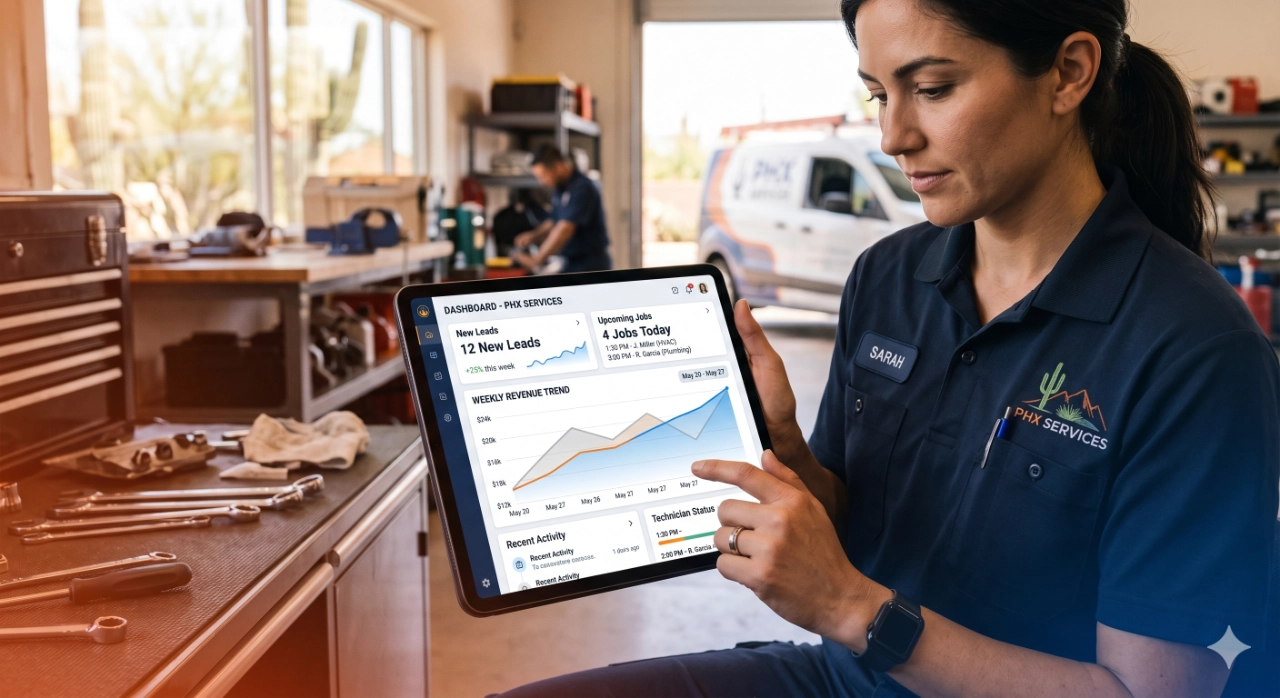
What service business automation actually means
Service business automation is not a robot taking over the company. For a Phoenix HVAC, plumbing, pool service, lawn care, or home maintenance team, it usually means the next customer step happens reliably without the owner having to remember every detail by hand.
A useful automation watches for a normal event the team already understands: a missed call, a form fill, a new estimate, a scheduled appointment, a completed job, a customer due for maintenance, or a review opportunity. Then it prompts the right next action with a text, email, task, reminder, routing rule, or customer note.
That plain-English definition matters because automation only helps when it supports the workflow. If the dispatcher, technician, office manager, or owner cannot explain what the automation does, it will either be ignored or create more cleanup. The goal is steadier follow-up, faster response, and fewer dropped opportunities, not a complicated software stack.
Phoenix and Buckeye workflows worth automating first
Local service businesses should start where revenue is already leaking. In Phoenix and Buckeye, seasonal demand makes those leaks easier to see. Cooling calls spike fast, pool routes get packed, monsoon repairs create urgent requests, and homeowners often compare several providers before booking.
The first automation should protect a workflow that already matters. HVAC companies may start with missed-call text-back and tune-up reminders before peak cooling season. Plumbing companies may start with estimate follow-up and post-repair review requests. Pool service companies may start with recurring-route reminders and chemical-check follow-up. Lawn care teams may start with quote response, service-day reminders, and seasonal reactivation. Home maintenance companies may start with inspection reminders and repeat-project prompts.
Pick one workflow before trying to automate everything. A small workflow with a clear owner will beat a large automation project nobody trusts. The owner should be able to name the trigger, the customer message, the internal task, and the measure of success before anything is built.
Lead response: protect the first five minutes
New service requests are highest intent when they arrive. A homeowner with a broken AC unit in Phoenix, a leak under the sink in Buckeye, a green pool, an overgrown yard, or a loose fixture is usually not building a vendor spreadsheet. They want a competent company to respond quickly and make the next step clear.
Lead response automation can confirm the request, acknowledge missed calls, route the lead by service type, notify the office, and send the customer a booking path. This does not replace the office team. It gives the team a backup when phones are busy, technicians are in the field, or the owner is handling another customer.
A practical first version might include missed-call text-back, website form confirmation, Google Business Profile message follow-up, and a task for the office to call high-value leads. Track response time, booked appointments, and leads that never receive a human follow-up. Those numbers show whether the automation is protecting revenue or just sending more messages.
Scheduling and reminders: reduce confusion before the visit
Scheduling problems are rarely dramatic in isolation. One customer forgets an appointment. One technician arrives without the right note. One estimate is delayed because the office had to confirm details twice. Over a month, those small gaps cost real capacity.
Automation can help by confirming the appointment, reminding the customer before arrival, collecting access notes, flagging special parts or equipment, and notifying the team when a customer needs to reschedule. HVAC and plumbing teams can use it to reduce dispatch confusion. Pool and lawn care teams can use it to clarify gate access, pets, and route timing. Home maintenance teams can use it to collect photos or project details before the visit.
The best reminder flow is short and useful. It should confirm the appointment, make rescheduling easy, and help the technician arrive prepared. If reminders become noisy or generic, customers tune them out.
Follow-up and reviews: do not let completed jobs go quiet
A completed job is one of the most valuable moments in the customer relationship. The customer has just experienced the work, the company has fresh context, and the next step can be handled while trust is still warm. Without a follow-up system, that moment often disappears as soon as the invoice is paid.
For service businesses, post-job automation can send a thank-you message, ask whether the work met expectations, trigger a review request for satisfied customers, and alert the office when something needs recovery. That last piece matters. Review automation should not push every customer to Google no matter what happened. It should help the company respond responsibly before a small issue becomes a public problem.
Reviews support local trust in Phoenix and Buckeye searches, but the workflow should still feel human. Reference the service, keep the request simple, and make the review link easy to use. For recurring customers, connect the follow-up to the next maintenance window so the relationship does not end at the first job.
Recurring service: make the next visit visible
Recurring service automation is where many home-service companies find steadier revenue. HVAC tune-ups, plumbing inspections, pool maintenance, lawn care visits, filter changes, seasonal checks, and home maintenance walkthroughs all have natural repeat intervals. The problem is that customers rarely remember the timing on their own.
A simple recurring-service workflow records the recommended next service window, reminds the customer before the need becomes urgent, gives the office a follow-up task, and makes booking easy. For pool service, that might mean route reminders and seasonal service prompts. For lawn care, it might mean spring cleanup, overseeding, or recurring mowing. For home maintenance, it might mean quarterly repair lists or annual inspection reminders.
The automation should connect to the offer. If the business has a maintenance plan, the messages should explain what is included and why the timing matters. If the business is not ready for a formal plan, start with reminder-based repeat visits. The owner can always package the service more clearly once the workflow is producing bookings.
How to start without disrupting the team
Start by mapping the current workflow on one page. What starts it? Who owns it? What should the customer receive? What should the team do? Where does it currently break? That map will reveal whether the first fix is a message, a task, a routing rule, a booking link, a CRM cleanup step, or a script for the office.
Then build the smallest reliable version. Choose one workflow, one customer message, one internal owner, and one metric. Run it for a few weeks before adding complexity. If the team is already stretched, avoid launching five automations at once. Too much change creates confusion and makes it harder to know what worked.
Make sure the people using the workflow are involved before launch. A dispatcher can tell you which lead details are missing. A technician can tell you which appointment notes matter. An owner can tell you which jobs are worth faster escalation. Good automation reflects that knowledge instead of bypassing it.
When to ask for outside help
Outside help makes sense when the workflow touches multiple systems, affects revenue, or keeps getting postponed because the owner is too busy to build it. That might include connecting website forms to CRM follow-up, improving Google Business Profile lead handling, setting up review requests, organizing recurring-service reminders, or measuring where leads drop out.
It also helps when the team has already bought software but still relies on memory and manual follow-up. The issue may not be the tool. It may be that the offer, trigger, ownership, message, and reporting were never defined clearly enough for the tool to support the business.
For Phoenix and Buckeye service businesses, the best first outside project is usually a workflow audit and implementation plan. Find the highest-value leak, build the practical automation around it, and measure whether more leads become booked jobs, more jobs become reviews, and more one-time customers become repeat customers.
RESOURCES
See how Buckeye GMB connects local SEO, automation, content, and follow-up for service businesses.
Build reminder and retention workflows around maintenance plans, repeat visits, and recurring service revenue.
Tighten speed-to-lead, qualification, routing, and follow-up before new service requests go cold.
Review applied systems work for service and commerce teams that need cleaner customer workflows.
Talk through the first automation workflow Buckeye GMB should help your team map and improve.
Start with the workflow that is costing the most revenue.
Buckeye GMB helps Phoenix and Buckeye-area service businesses map lead response, scheduling, follow-up, review, and recurring service workflows before adding more software or ad spend.
Plan Your First Workflow