Speed to Lead for Home Services: What Happens in the First 5 Minutes
A practical first-five-minutes workflow for Phoenix and Buckeye home-service companies that want fewer missed calls, faster booking prompts, and clearer owner visibility.
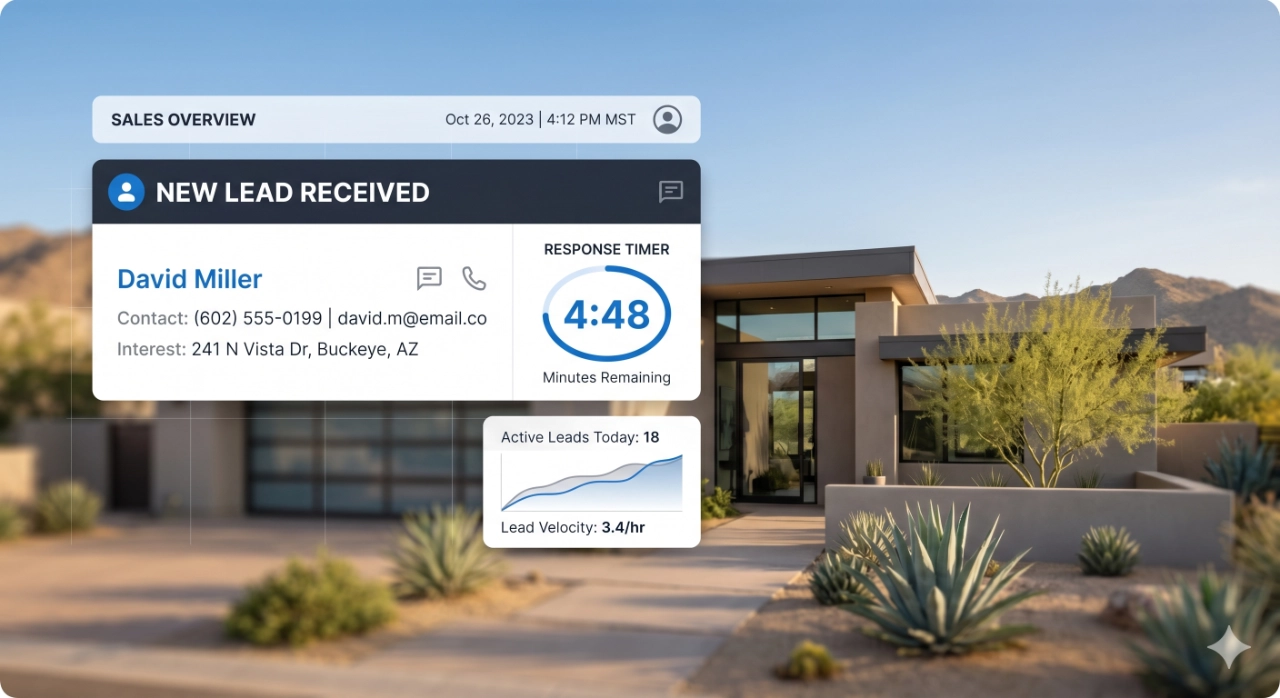
Why the first five minutes decide the lead outcome
A new home-service lead is usually not casually browsing. The homeowner has a leaking pipe, a warm house, a broken gate, a dirty pool, a pest issue, or a project they finally want handled. In that moment, speed to lead is not a sales trick. It is the difference between feeling helped and feeling ignored.
For Phoenix and Buckeye service businesses, the local expectation is especially compressed during urgent seasons. A homeowner dealing with summer HVAC trouble, storm cleanup, plumbing damage, or a same-week maintenance need may contact two or three companies quickly. The first company that confirms the request, asks the right question, and makes booking easy often wins the job before the slower company has checked voicemail.
That is why speed to lead for home services should be treated as a revenue leak, not a generic marketing metric. Paid ads, SEO, Google Business Profile views, referrals, and repeat customers can all create demand, but slow response lets that demand escape before the office gets a fair chance to book it.
The minimum viable speed-to-lead workflow
The first version of the workflow should be simple enough for the office to trust. When a call is missed, the lead receives a text-back right away that confirms the business saw the request and asks for the next useful detail. When a form, chat, or booking request arrives, the lead receives instant confirmation with a clear expectation for what happens next.
After confirmation, the workflow should qualify the request just enough to route it correctly. A plumbing emergency, an HVAC no-cool call, a pool service inquiry, and a maintenance-plan question should not all land in the same vague inbox. Ask for service type, location, urgency, preferred contact method, and the best scheduling window. Keep the questions short because the goal is momentum, not a full intake interview.
From there, route the lead to the right person or board. Emergency work may need a dispatcher. Estimate requests may need an owner, sales lead, or estimator. Recurring service requests may need the office team. Every route should include a booking or estimate prompt so the lead is invited into the next step while attention is still high.
What to automate and what should stay human
Automate the acknowledgment, not the relationship. Missed-call text-back, form-fill confirmation, booking-request receipt, basic qualification questions, internal alerts, and owner visibility dashboards are good candidates for automation because they protect the first few minutes without pretending to be a technician or dispatcher.
Human judgment should stay involved when the customer needs reassurance, scope clarity, price context, or scheduling tradeoffs. A homeowner with water damage, an elderly parent without cooling, or a high-value replacement estimate should not be trapped in a generic message sequence. The system should surface the lead quickly so a person can handle the conversation with context.
The practical split is this: automation keeps every lead warm and organized, while the team handles trust, diagnosis, and close. That balance matters because home-service buyers are not only choosing speed. They are choosing the company that feels responsive and competent at the same time.
Common mistakes in home-service lead response
The first mistake is treating all missed calls as equal. A missed call during business hours from a local homeowner may be a high-intent job that needs immediate text-back and owner visibility. Letting that sit until the end of the day turns paid demand, organic traffic, or GBP discovery into wasted spend.
The second mistake is sending confirmations that do not move the lead forward. A message that says "we received your request" is better than silence, but it still leaves the customer wondering what to do next. Add a booking link, an estimate prompt, or one useful question that moves the office closer to scheduling.
The third mistake is hiding response data from the owner. If the owner only sees lead totals, they cannot tell whether the leak is marketing volume, response time, routing, estimate follow-up, or booking conversion. A simple view of missed calls, first response time, unassigned leads, booked appointments, and unresolved requests can change the conversation quickly.
How to measure response time and booked appointments
Start with first response time by channel: calls, missed calls, forms, chat, Google Business Profile messages, and booking requests. Track the median response time and the outliers because the worst delays often reveal the workflow gaps that cost the most money.
Then measure booked appointments from new inquiries. A fast reply that never becomes a scheduled job is still incomplete. Track how many leads received a response, how many were qualified, how many were routed, how many were offered a booking or estimate step, and how many landed on the calendar.
Finally, review the data weekly. Look for revenue leaks instead of vanity wins. If leads arrive but do not receive fast confirmation, build missed-call text-back and form confirmations first. If response is fast but bookings lag, improve qualification and scheduling prompts. If bookings happen but follow-up disappears after the job, connect the workflow to recurring service reminders and review requests.
A first-five-minute playbook for Phoenix and Buckeye teams
Minute one: confirm the inquiry. The customer should know the request reached the business, even if the office is busy. For missed calls, send a text-back. For forms and booking requests, send a confirmation with the next step.
Minutes two and three: qualify and route. Capture service type, location, urgency, and preferred scheduling window. Then assign the lead to the right person or queue so it does not sit in a shared inbox.
Minutes four and five: prompt the appointment or estimate. Give the customer a direct path to book, approve the next conversation, or share details needed for an estimate. At the same time, make the lead visible to the owner or manager so unresolved high-intent requests do not disappear.
RESOURCES
Build faster response, qualification, and routing workflows for new service requests.
Turn booked work into repeat service, reminders, and customer follow-up after the first appointment.
Review applied workflow and conversion systems for service and commerce teams.
Map the first speed-to-lead workflow your team should tighten this month.
Close the gap between new lead and booked appointment.
Buckeye GMB helps Phoenix and Buckeye-area home-service companies connect missed-call text-back, instant confirmation, qualification, routing, booking prompts, and owner visibility into one practical response workflow.
Map Your First 5 Minutes