What to Put on a Home-Service Website Before Buying More Leads
Before buying more leads, make sure your home-service website clearly shows what you do, where you work, why customers trust you, and how fast they can book.
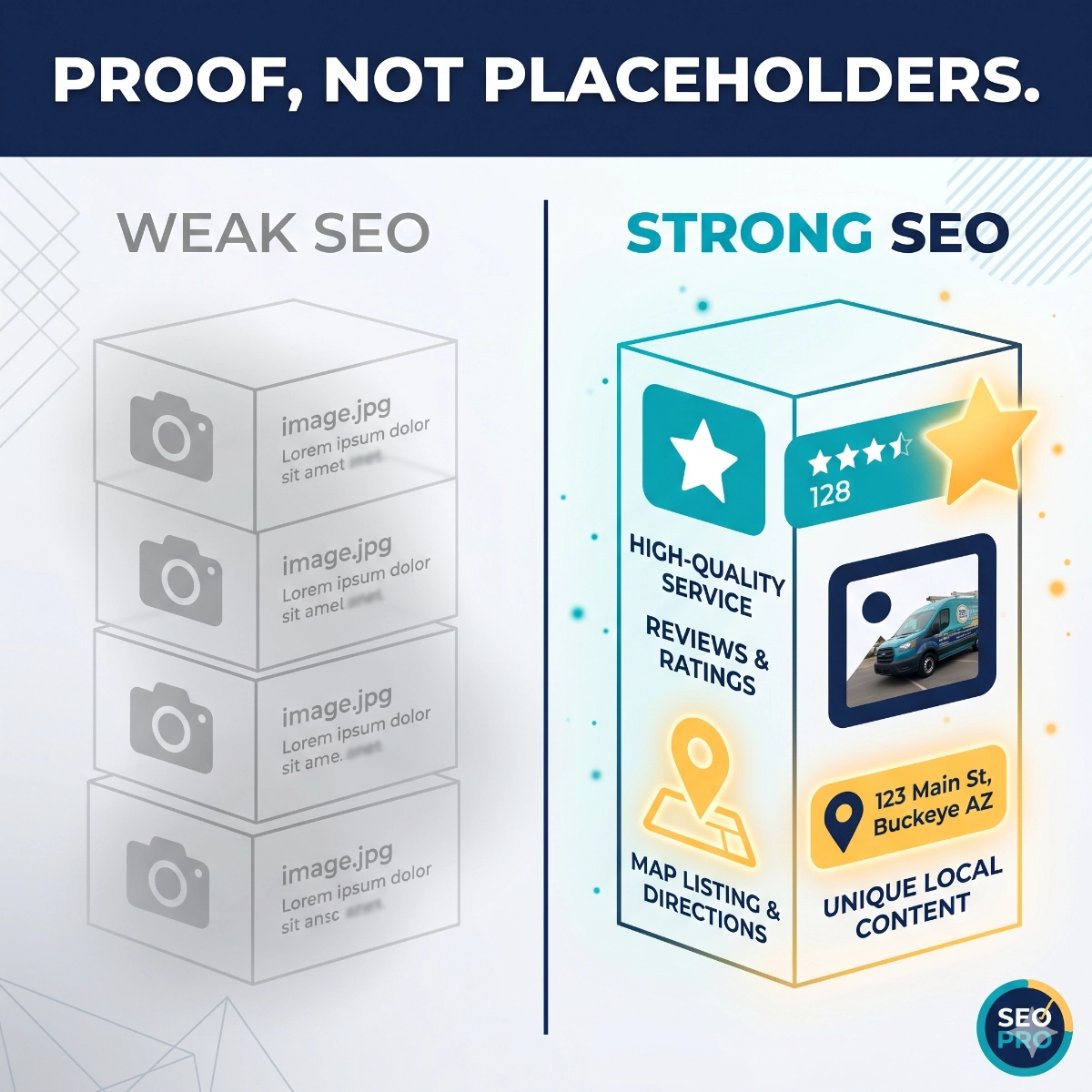
More traffic does not fix a weak conversion path
Buying more leads can make a website problem look like a marketing problem. If a homeowner clicks from Google Business Profile, a referral, an organic search result, or an ad and lands on a page that does not quickly explain the service, location, proof, and next step, the business pays for attention without giving that visitor enough confidence to call or book.
For a Phoenix or Buckeye home-service company, the website is often the handoff between local trust and real revenue. A customer may already like the reviews, recognize the service truck, or get a recommendation from a neighbor. The site still has to confirm that the company handles the specific job, serves the neighborhood, responds quickly, and offers an easy way to start the conversation.
This is why the first website project before buying more traffic should be a conversion checklist, not a redesign wish list. The goal is to remove hesitation from the path between interest and action: calls, forms, booking requests, estimates, maintenance-plan questions, and recurring-service reminders.
1. Put service, location, trust, and CTA above the fold
The first screen should answer four questions without making the visitor hunt: what service do you provide, where do you provide it, why should a local customer trust you, and what should they do next? That does not require a crowded hero section. It requires a clear headline, specific service language, a local service-area cue, one or two proof points, and a visible call to action.
For example, an HVAC company should not lead with a vague line like dependable comfort solutions. A better first screen says AC repair, tune-ups, and maintenance plans for Buckeye, Goodyear, Verrado, and the West Valley, then supports it with review count, years in business, financing or emergency availability if true, and buttons for calling or requesting service.
The CTA should match how customers actually buy. Emergency plumbing and AC repair need a fast call path. Pool service, landscaping, pest control, and maintenance plans may need a form, quote request, or recurring-service consultation. The important part is that the visitor sees one primary action and a backup path without scrolling through generic company copy.
2. Make service and area clarity obvious for Phoenix and Buckeye buyers
Local buyers want to know whether the company handles their exact problem in their exact area. Service pages should separate the core offers clearly enough that a customer can self-identify: repair, replacement, tune-up, installation, maintenance plan, inspection, emergency service, recurring service, or seasonal cleanup.
The same is true for location. A Buckeye homeowner may not assume a Phoenix contractor serves Verrado, Tartesso, Goodyear, Avondale, Surprise, or the wider West Valley. A Phoenix customer may need neighborhood or suburb cues before trusting that dispatch is practical. Use visible service-area language on the homepage and relevant service pages, then reinforce it with real internal links rather than a long block of city names that reads like a doorway-page tactic.
Seasonal relevance helps too. In Arizona, AC tune-ups before the heat, irrigation checks before dry stretches, pool cadence in summer, pest control timing, monsoon cleanup, and winter lawn transitions all give customers a practical reason to act now. The site should connect those seasonal needs to specific booking prompts, not bury them in blog posts only.
3. Show proof that matches the work you want more of
Reviews matter, but generic review widgets are not the whole proof system. A strong home-service website uses proof in context: review excerpts near service CTAs, project photos near the service described, before-and-after examples where appropriate, and short case studies for larger jobs or recurring service outcomes.
If the company wants more maintenance plans, show proof around consistency, reminders, priority scheduling, or fewer emergency surprises. If the company wants more replacements, show recent installs, financing clarity, manufacturer certifications if true, and customer concerns that were solved. If the company wants more local repair calls, show quick response, clear diagnosis, and tidy completion proof.
Phoenix and Buckeye customers are looking for fast confidence. They may scan the site between calls to multiple contractors. Proof should help them decide without reading a long brand story first. Use named service areas, job types, review themes, and real outcomes wherever the business can support them.
4. Make forms, booking prompts, and follow-up expectations concrete
A lead form should not feel like a black hole. Ask for the information needed to route the request, but keep the first step short enough that a busy homeowner can finish it. Name, contact method, service type, city or ZIP code, preferred timing, and a short description are usually enough for the first pass.
The copy around the form should set expectations. If the office responds during business hours, say that. If emergency requests should call instead of filling out a form, say that. If estimate requests receive a confirmation text or scheduling link, say that. Response expectations reduce anxiety and prevent mismatched leads from entering the wrong path.
Booking prompts should also support recurring-service conversations. A lawn care, pool service, HVAC, pest control, or plumbing company can add options like ask about a maintenance plan, schedule a seasonal tune-up, request recurring service, or get a reminder before the next service window. These prompts turn the website from a one-time lead collector into the start of a customer workflow.
5. Connect the site to GBP, referrals, organic search, and ads
A website conversion checklist should account for where traffic comes from. Google Business Profile visitors often need fast service-area confirmation, reviews, photos, and a direct call or booking path. Organic visitors may need more education before they choose. Referral visitors may already trust the company but still need proof that the company handles their specific job. Ad visitors need a landing path that matches the promise of the ad.
Do not send every source to the same vague homepage section if the intent is different. A GBP website link can point to the homepage if the first screen is strong, but service-specific GBP posts, ads, and organic articles should send people to pages that continue the same message. If the post promotes AC tune-up readiness, the landing page should talk about tune-ups, service areas, timing, and booking, not general marketing copy.
Tracking matters here, but it should not replace content clarity. Use clear phone links, form confirmations, conversion events, and UTM-tagged campaigns where possible. Then review which pages generate calls, forms, and booked work rather than only watching traffic numbers.
6. Tie website leads to a real response workflow
The public website can only do part of the job. Once a visitor calls, submits a form, or requests booking, the follow-up workflow determines whether that interest becomes revenue. A good conversion path routes new requests quickly, confirms receipt, assigns ownership, and gives the customer a next step.
For many home-service teams, the first workflow to fix is missed-call or form-fill response. A simple confirmation text, email, or internal alert can protect high-intent requests while the office is on another call. Estimate follow-up, maintenance reminders, review requests, and reactivation campaigns can come next.
The website should support this system with clean fields, clear source tracking, and CTA language that matches the follow-up. If the form asks about recurring service, the team needs a recurring-service response path. If the page promises fast scheduling, the office needs a way to handle that speed. Conversion is the connection between public promise and operational follow-through.
The website readiness checklist before buying more leads
Before increasing ad spend, buying third-party leads, or pushing harder on lead generation, review the basics: the homepage first screen names the service and locations, every priority service has a clear page or section, service areas are visible, proof is specific, forms are short, call buttons are obvious, response expectations are stated, and follow-up ownership is defined.
Also check that internal links guide customers naturally. A service page can link to recurring-service options, a relevant case study, and the contact section. A blog article can point to lead generation, WordPress advisory, and recurring services when those resources help the reader take the next step. These links should help the buyer move forward, not exist only for SEO.
Once the website can turn existing traffic into clearer calls, forms, bookings, and maintenance-plan conversations, more traffic has a better chance of paying off. Lead generation works best when the destination is ready to receive the lead.
RESOURCES
Connect the website conversion path to faster lead capture, routing, and follow-up before buying more traffic.
Turn maintenance, seasonal service, and repeat customer opportunities into clearer booking and reminder workflows.
Get practical help improving site structure, content, tracking, and conversion paths without rebuilding everything first.
Review examples of service-business marketing systems, content, automation, and conversion improvements.
Talk with Buckeye GMB about the website basics to fix before adding more lead sources.
Fix the conversion path before you buy another lead.
Buckeye GMB helps Phoenix, Buckeye, and West Valley service businesses tighten service pages, local trust signals, calls to action, forms, GBP handoffs, and follow-up workflows so more existing traffic turns into booked work.
Review Your Website Basics